Schematics, if you didn't know, are the standardized circuit diagrams that everyone uses to design and share their circuits.
Want to build a clone of a guitar pedal that you like? You're hopefully not going to try to do that by unscrewing and opening up your own, and trying to make sense of all the connections inside. Nor are you going to look online for a photo of the insides of the circuit, or of the circuit wired up on a breadboad, and try to copy that. You're going to do what everyone else does - find schematics for the circuit, either online or in a book, and build from that.
Did you design a compelling custom circuit, and you want to share the design with your friends, or with people online? You're hopefully not going to send them a photo of a big tangle or wires and components on your breadboard, expecting them to be able to duplicate it. You're going to draw schematics for your circuit.
As you'll see in this first video, if you know how to read schematics, you can recreate any circuit.
Schematics are completely unambiguous - they tell you exactly what is connected to what in a circuit, and nothing else, which is all you need to know.
(Note in the video above I say "everyone uses the single cell battery symbol, not the multi cell one", which I realize isn't exactly true. It's more like - people often use the two symbols interchangeably, you can use either one.)
For future reference here's all the symbols we'll be using in the videos below.
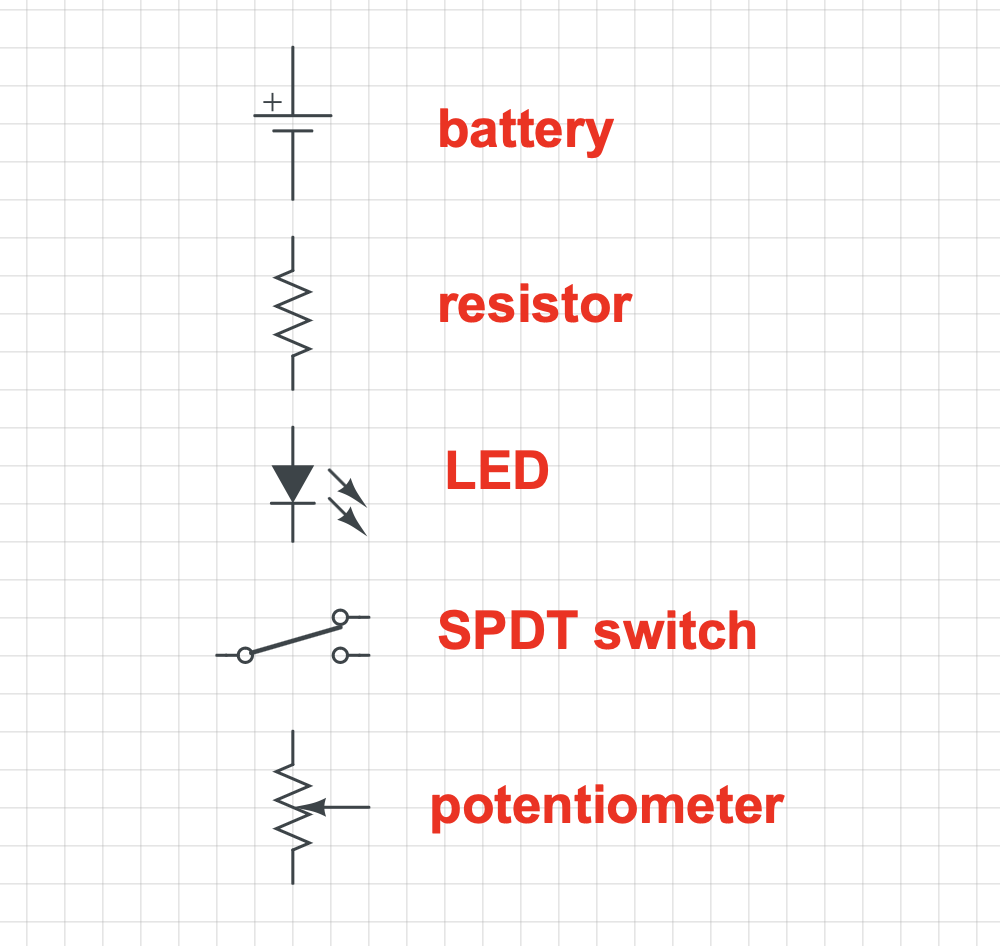
(At around 1:20 I say resistor when I mean battery. My bad.)
There are an endless number of ways to correctly draw a schematic for any circuit, even a simple one! Ideally you should try to make them simple and easy to read, but you can draw your schematics in whatever way makes the most sense to you. If your schematic correctly shows what components are connected to each other, it's good. It's that simple.
In the following video you'll build a circuit from an existing schematic. There's a hand drawn vesion of it in the video, but also here's a nicer version of it which I made with software.
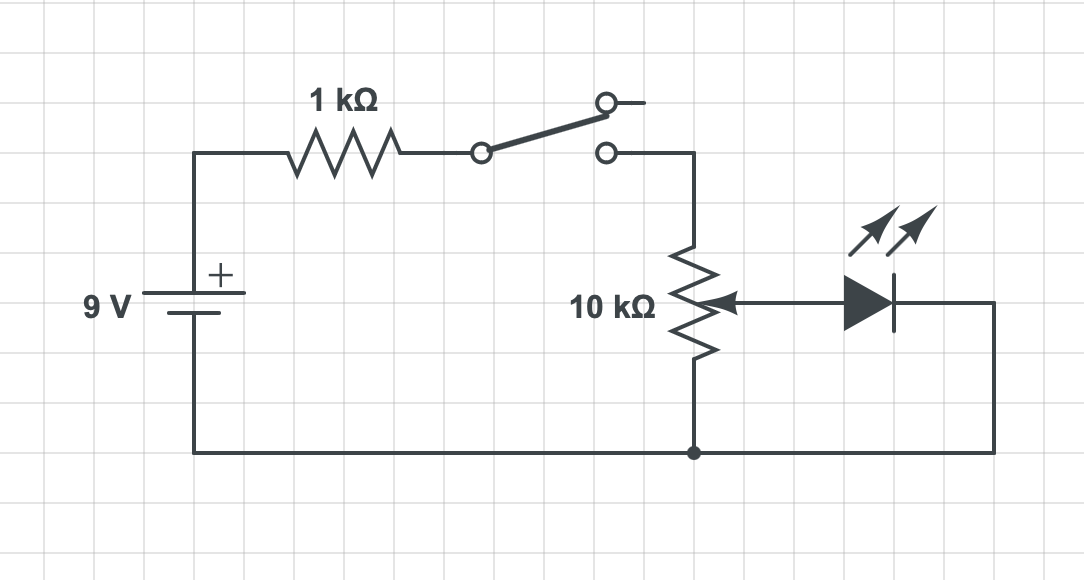
All of the computer-drawn schematics and symbols on this page were made with CircuitLab which costs money unless you work somewhere or go to a school that has a school- or organization-wide license. NYU students - yes we have one! That said, I'd say hold off on signing up and trying it for now and first get comfortable drawing schematics by hand.